Photo Comparison: Choose Between Two Photos with Jev AI
Compare expressions, lighting, and framing with your purpose in mind. Jev receives both photos directly and offers a free second opinion, with no sign up.
FROM MANY FRAMES TO TWO
Give your photo shortlist a fresh pair of eyes
A photo comparison is useful when both candidates deserve a place in your final selection. One portrait has a relaxed expression; another has a cleaner background. One product shot shows the shape clearly; another feels more inviting. Looking at them repeatedly can make the choice harder. Aijev gives you another perspective on the pair, while leaving the final decision with you.
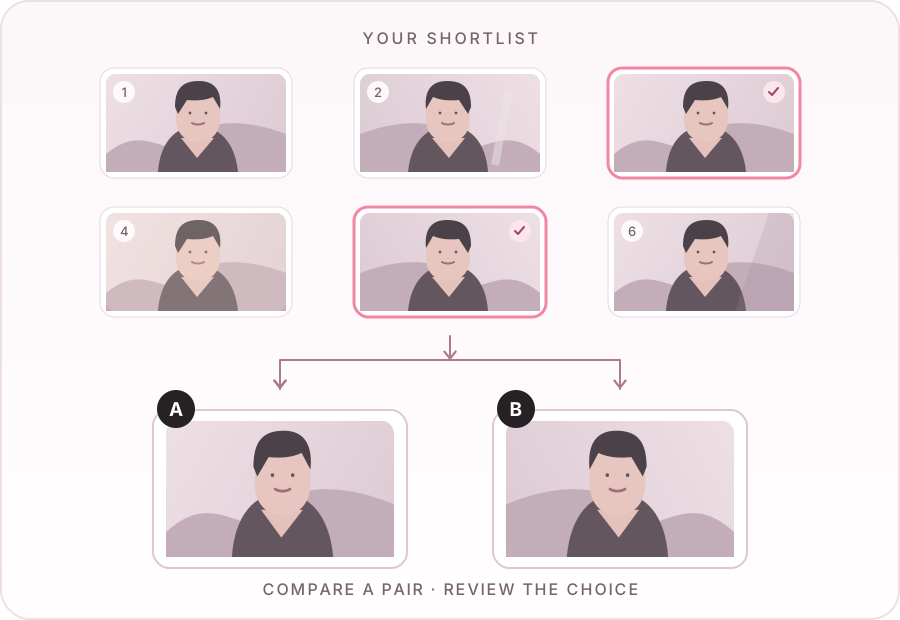
Start with your own shortlist. Remove missed focus, accidental frames, and photos you cannot use before you upload. Choose two candidates for the same purpose, such as the cover of a gallery or a listing's main image. The tool compares two uploads at a time; it does not scan an entire shoot or automatically organize a photo library. For a large collection, repeat the process with another pair after reviewing the first result.
A practical workflow: make your own shortlist, compare a pair, then review the recommendation. Illustrated frames are examples, not uploaded photos or AI verdicts.
WHAT ARE YOU CHOOSING?
Different photos call for different decisions
Portraits and people
Compare two portraits when expression, posture, and background compete for your attention. Review eye visibility, distracting objects, and how the subject sits within the frame. A natural moment may matter more than a perfectly tidy composition. Jev cannot know which expression feels most like the person, whether a client approved a pose, or which frame preserves a meaningful memory. Ask the subject when that personal context matters.
Product photos and listings
For a product photo comparison, use two images of the same item when possible. Look at whether the product is easy to recognize, whether important features are visible, and whether the background distracts. Check the actual item against both photos: an attractive image can still misrepresent a color or texture. Aijev's recommendation does not establish listing compliance or predict purchases. Your marketplace requirements and real customer response remain part of the choice.
Travel, events, and everyday selections
When choosing between two landscape or event photos, consider what the image needs to communicate. A wider frame might explain a location; a closer frame might capture a gesture. Decide whether the selected photo will stand alone or sit beside others in a sequence. The comparison only covers the uploaded pair, so it cannot assess the rhythm of your album, the rest of an event gallery, or a story that exists outside those frames.
A RECORDED JEV IMAGE COMPARISON
Two settings, one direct image comparison.
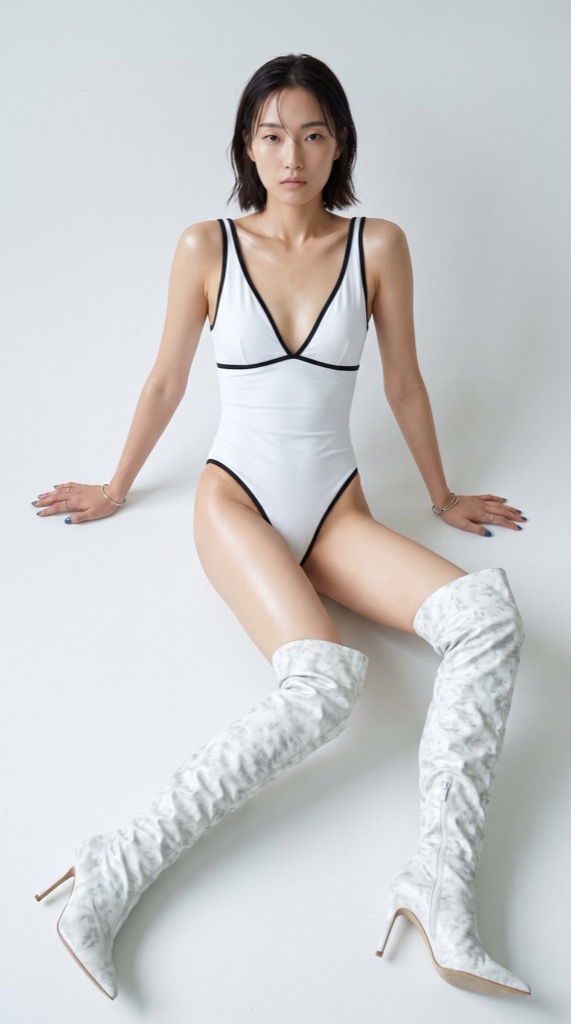
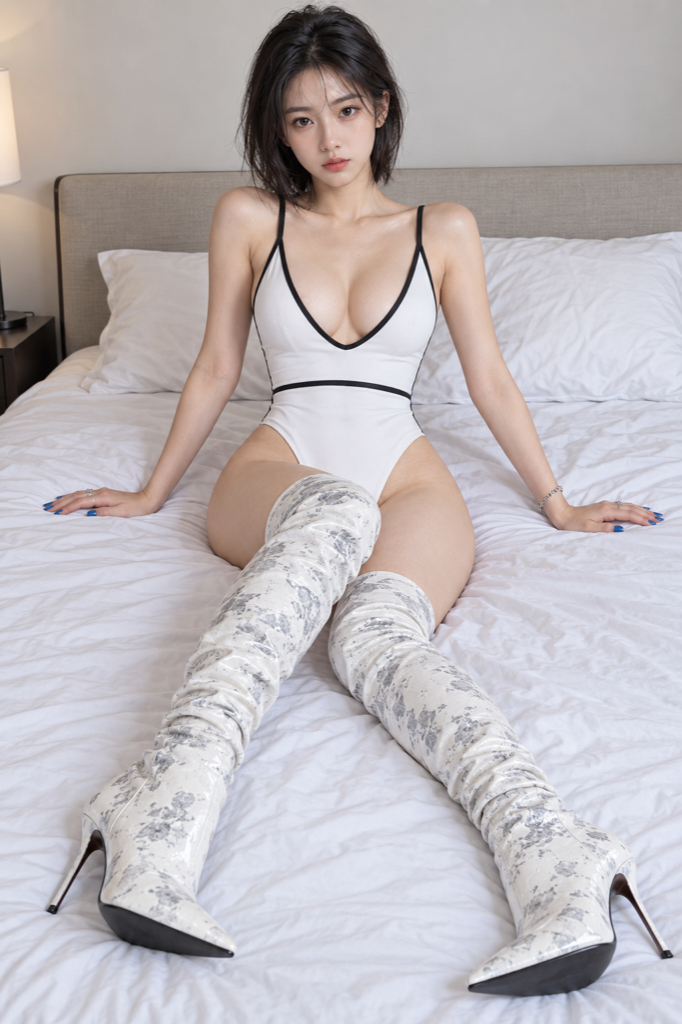
Recorded October 15, 2026 with Jev 1.14.0. Both AI-generated portraits were prepared in the browser and sent directly to Jev with the General comparison goal. This saved result shows one assessment of this pair.
AStudio portrait
AI-generated · minimal studio setting
BBedroom portraitJev's pick ✦
AI-generated · bedroom setting
THE SAVED VERDICT
Jev picked image B: the bedroom portrait.
Jev evaluated both image inputs together and selected the bedroom portrait. The displayed probability and confidence values describe this recorded decision. Different criteria, image order, or another run can change the result.
Selection probabilities
A · Studio portrait22.0%
B · Bedroom portrait63.0%
Equally good9.0%
Not enough information6.0%
Decision confidence: 0.51 / 1. This measures how concentrated the probabilities are, not image quality. A new comparison may return a different result.
BEFORE YOU PRESS COMPARE
Make the comparison relevant to your final use
Use similar crops if you are deciding between near duplicates. Otherwise, a tight crop and a wide crop may introduce a framing difference alongside the detail you meant to compare. If your final image will be square, prepare square candidates yourself. Aijev prepares full-frame PNG copies for the native image input supported by Jev 1.14.0, correcting orientation and adjusting size without cropping or retouching; extreme aspect ratios may receive transparent padding.
Choose a static JPEG, PNG, or WebP file up to 5 MiB in each slot. Check the prepared previews to confirm which photo is A and which is B. Select Photography, Portrait, Product photo, or another comparison goal, or write up to 2,000 characters of custom criteria. A nonblank custom prompt overrides the selected goal. Selecting files or criteria does not submit a request; start the comparison when ready.
Return to the originals before publishing. View each photo at the intended display size and examine important details yourself. Small text, subtle focus differences, skin texture, and color accuracy can be missed, especially after resizing. Jev image input is experimental, and its preference is not a technical inspection of every pixel.
KEEP YOUR OWN EYE IN THE LOOP
A recommendation you can consider, not a grade
Jev receives both prepared photos directly together with your criteria. It can choose A, choose B, call a tie, or report insufficient information. A tie can be a reasonable result when both candidates work. Insufficient information means the supplied images do not support a meaningful judgment; it does not mean either photo is unusable.
The displayed probabilities describe possible decisions, and confidence describes how concentrated those probabilities are. Neither is a photo quality score. Another run may return a different answer. For a portfolio, your creative intent matters; for a campaign, feedback or an audience test may be more decisive. Use the result to revisit your shortlist and make a choice you can stand behind.