Send two images directly to Jev with your goal or custom criteria. Compare photos, designs, and AI-generated images for free, without signing up.
IMAGES AND YOUR CRITERIA
How the comparison moves from pixels to a choice
AI image comparison can mean several different things. Aijev is designed for the question “which image is better?” when you want a second opinion on two candidates. It does not produce a pixel difference map, measure how closely two files match, or combine them into a new image. The result is a subjective selection based on observed contents, rather than a technical guarantee about either file.
Aijev uses native image input supported by Jev 1.14.0. Your browser prepares both images locally: it corrects orientation, resizes the full frame without cropping, and creates PNG copies. Very wide or tall images may receive transparent padding. When you start the comparison, those copies and your criteria pass through Aijev to Jev at TypeSafe. Jev evaluates the images directly and returns a choice. Image input remains experimental.
Your browser prepares the full images. Jev receives both images and your criteria directly. The four possible outcomes include a tie and insufficient information.
WHAT MATTERS TO YOUR CHOICE
Choose a goal or supply your own criteria
Eight comparison goals
Aijev offers General, Photography, Portrait, Product photo, Social cover, Poster, UI design, and AI-generated image as goals for Jev. General is selected by default. Choose the goal that matches your pair. These goals guide a subjective comparison; they do not produce separate scores for composition, subjects, or other qualities.
Your purpose, audience, and requirements
The optional custom prompt starts empty and accepts up to 2,000 characters. Use it to describe your own criteria. A nonblank prompt overrides the selected goal; leave it blank to use that goal. Selecting a goal never fills or changes your custom text. Readable text within an image remains image content, rather than instructions for the comparison.
Selecting a goal or editing the prompt does not start a request. Changing either, replacing an image, or removing one cancels an active comparison and clears its previous result. The result contains a choice, probabilities, and confidence, without separate image descriptions or a written rationale.
A RECORDED JEV IMAGE COMPARISON
Two settings, one direct image comparison.
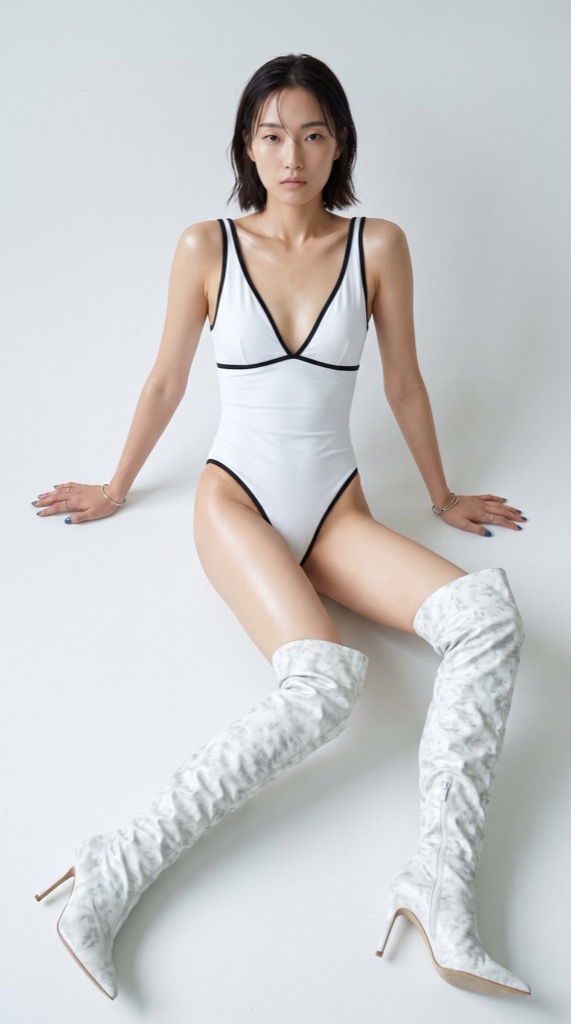
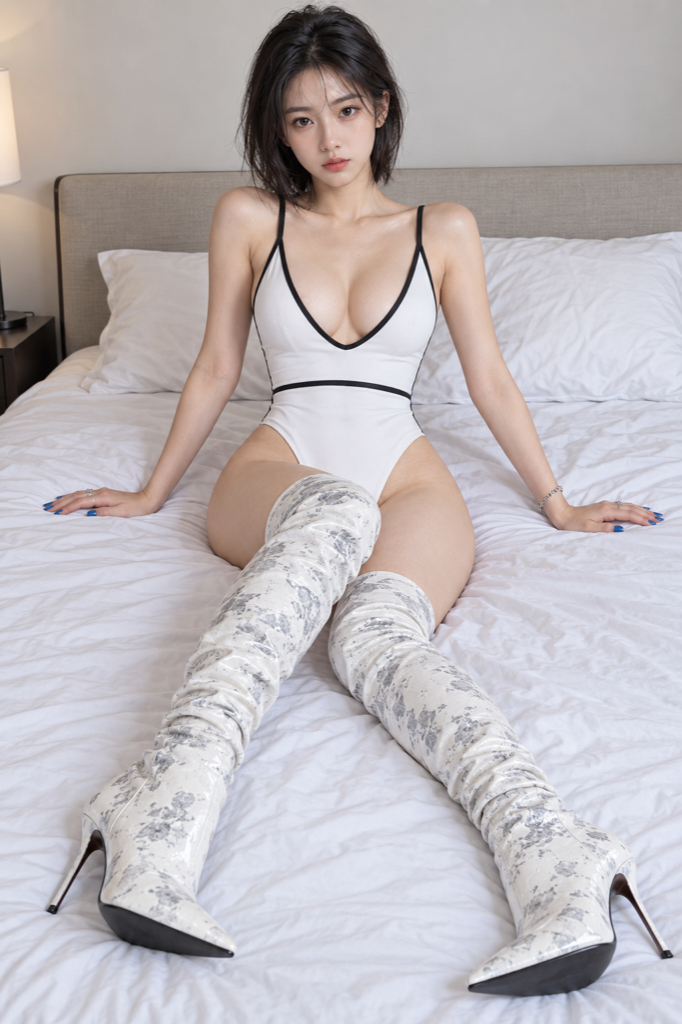
Recorded October 15, 2026 with Jev 1.14.0. Both AI-generated portraits were prepared in the browser and sent directly to Jev with the General comparison goal. This saved result shows one assessment of this pair.
AStudio portrait
AI-generated · minimal studio setting
BBedroom portraitJev's pick ✦
AI-generated · bedroom setting
THE SAVED VERDICT
Jev picked image B: the bedroom portrait.
Jev evaluated both image inputs together and selected the bedroom portrait. The displayed probability and confidence values describe this recorded decision. Different criteria, image order, or another run can change the result.
Selection probabilities
A · Studio portrait22.0%
B · Bedroom portrait63.0%
Equally good9.0%
Not enough information6.0%
Decision confidence: 0.51 / 1. This measures how concentrated the probabilities are, not image quality. A new comparison may return a different result.
READING THE RESULT
Four outcomes, with room for uncertainty
An A or B result means Jev selected that image under the supplied criteria. A tie means it found neither candidate better. Insufficient information means the images did not support a meaningful judgment. These last two outcomes are useful: forcing a winner can make a comparison seem more decisive than the available evidence allows. Neither outcome is a statement that your images are poor.
The selection probabilities show how the returned probability is distributed across A, B, tie, and insufficient information. They are displayed as percentages, not as marks out of one hundred for the images. A probability beside A belongs to the decision to choose A; it does not measure sharpness, aesthetic merit, or commercial performance.
Decision confidence is displayed from zero to one and measures how concentrated the probabilities are. It is not a guarantee of correctness, and it does not grade image quality. In the saved Jev 1.14.0 image comparison above, recorded on October 15, 2026, image B received 63% selection probability and confidence was 0.51. Those values describe one comparison of this pair using the General goal. Another run or a different goal can change the result.
WHERE YOUR JUDGMENT MATTERS
Match the recommendation to the decision you need
Choose a pair with a clear relationship: two candidate cover images, two product shots, or two versions of an illustration. Select a relevant goal or describe your brief, audience, brand requirements, or preferred style in the custom prompt. Jev can consider the criteria you provide, but its selection does not establish which image will earn more clicks or sales.
Jev can miss small text, subtle artifacts, and important visual details. Resizing can also reduce fine detail. Review the prepared previews and both originals when an answer conflicts with your judgment. Repeating the comparison may produce a different result. For precise revision checks, use a tool intended for image differences; for combining photos, use an editor that actually supports merging.
Keep personal context in the final decision. A meaningful expression, a client's preference, accessibility needs, or an accurate product color may outweigh a general recommendation. For public campaigns, test actual audience behavior where practical. AI can help you reconsider a pair, but it cannot substitute for feedback from the people who will see or use the image.
TRY YOUR OWN PAIR
Free comparison, without an account
Choose one static JPEG, PNG, or WebP image for each slot, with each file no larger than 5 MiB. Check the prepared previews and your criteria, then start the comparison. Selecting files alone does not upload them. You can replace a file and compare again. Processing time depends on the upload and model services; a delayed or unsuccessful request may show an error rather than a result.
The prepared PNG images and your comparison criteria are sent through the server to TypeSafe for Jev. The application does not persist these uploads, prompts, or results. Third-party processing has its own policies; read the privacy page before choosing what to upload.